






 Uncut Radio

Netflix has launched a much-requested Season Download button for iPhone and iPad users, making it easier to download entire seasons of your favorite shows with one tap.
This feature, already available on Android, eliminates the hassle of downloading episodes individually.
How to use the Netflix Season Download Button
Top downloaded shows like Squid Game, Monster: The Jeffrey Dahmer Story, ONE PIECE, and Queen Charlotte: A Bridgerton Story highlight the demand for offline viewing.
Now, users can prepare for long flights, train rides, or downtime effortlessly.
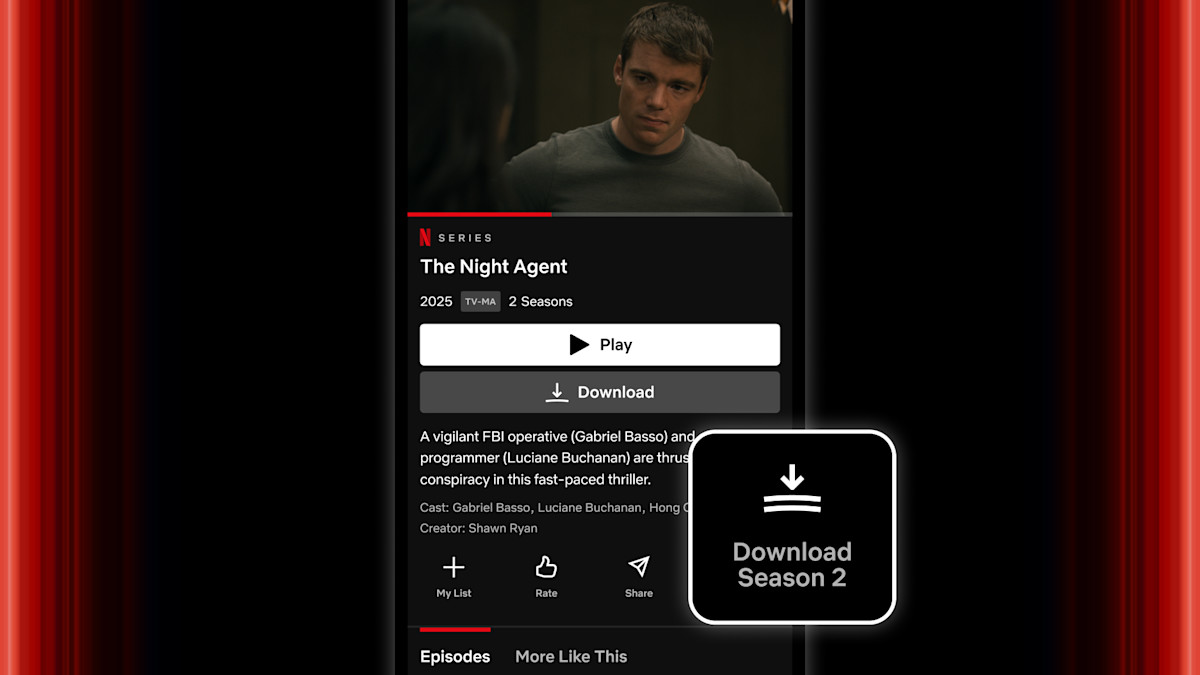
To use the feature, simply find the Season Download button on a show’s display page next to the Share option.
Downloads can be managed under the My Netflix tab.
Wherever you go, Netflix now ensures your next binge is ready when you are.
How to Download an Entire Season on Netflix (iPhone & iPad)
Open Netflix – Launch the Netflix app on your iPhone or iPad.
Find Your Show – Search for the series you want to download.
Tap the Season Download Button – Located on the show’s display page next to the Share option.
Wait for Automatic Download – All episodes in the season will start downloading instantly.
Manage Your Downloads – Go to the Downloads section under My Netflix to view or delete episodes.