






 Uncut Radio

Netflix has introduced a new feature called Moments that allows users to save and share their favorite scenes from movies and TV shows with friends and on social media.
The feature aims to make sharing key moments easier and more seamless.
How to Use Netflix’s Moments Feature:
♦️ Find Your Favorite Scene: Start by streaming your chosen movie or TV show on Netflix. Whether it’s an intense battle scene in Stranger Things or a nail-biting sequence in Squid Game, simply locate the scene you want to share.
♦️ Tap the Moments Button: Once you reach the scene, tap the Moments button at the bottom of your screen. This will save the specific clip to your My Netflix tab.
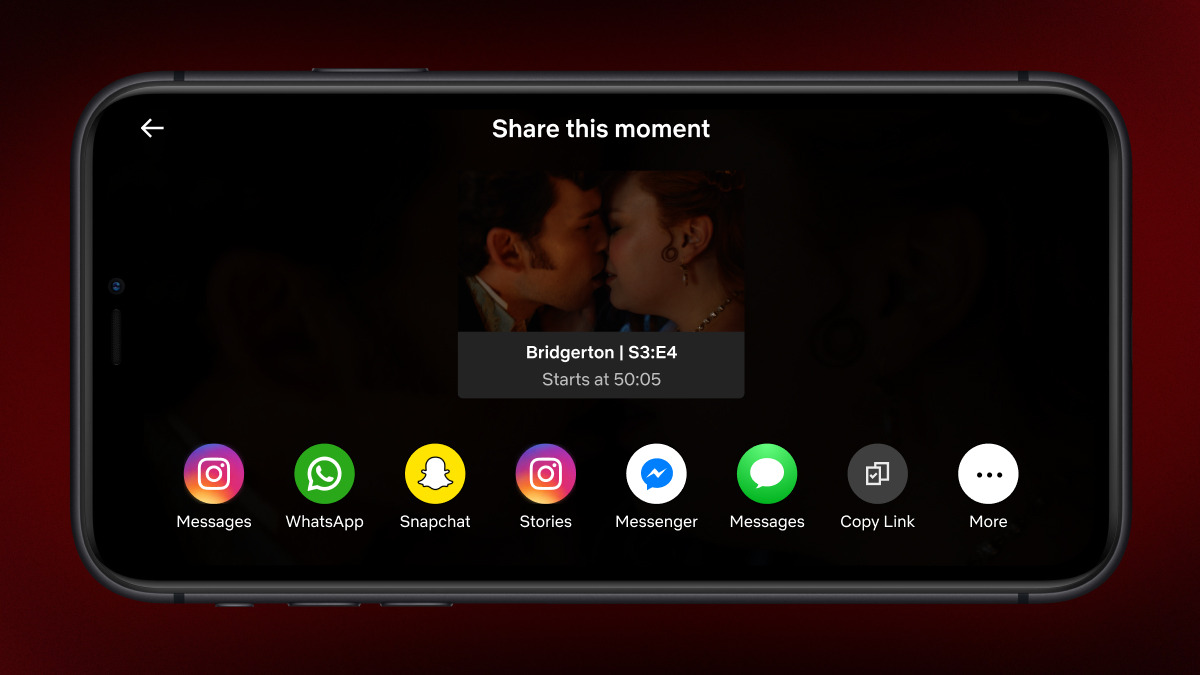
♦️ Access the Saved Moment: Head to your My Netflix tab to find the saved Moment. You can now choose to share the scene in two ways:
♦️ Share a Link: Send a link to friends, allowing them to view the exact scene you saved.
♦️ Post to Social Media: Alternatively, you can share the Moment directly to social platforms, making it easier to reference scenes when discussing them online.
Compatibility and Availability
Currently, Moments is available globally on iOS, making it easy for iPhone and iPad users to start saving and sharing scenes right away.
For Android users, Netflix has announced that the feature will be available within the coming weeks.
- ‘Tides’ Review: A Kenyan Musical That Gets the Coast Right

- ‘Project Hail Mary’ Review, Cast, Box Office Numbers